Why Do My Chords Sound Bad?
Buzzing, muted, dead strings — every beginner hits this wall, and it's almost never talent. It's seven small mechanical things, and each has a quick fix.
If your chords buzz, thud or sound half-dead, nothing is wrong with your ear or your talent — it's mechanics. Below are the seven causes, in the order they usually bite, and how to fix each. Learn to pluck each string one at a time and the guitar will tell you exactly which finger to fix.
1. Not enough pressure
New fingertips are soft and weak, so strings buzz or don't sound. Press firmly (it should almost hurt at first) right up until the string rings clean. This genuinely gets easier in a week or two as your fingertips toughen up — it's the single most common reason beginners' chords sound bad.
2. Fingers aren't arched
This is the big one for muted strings. If your fingers lie flat, the pads brush the neighbouring strings and choke them. Curl each finger so you press with the very tip, coming straight down onto the string. Keep the knuckles bent and the palm off the neck.
3. Too far behind the fret
Press just behind the fret wire — not on top of it (that deadens the note) and not back in the middle of the gap (that buzzes). The closer to the fret, the less pressure you need. This one fix cures a lot of buzzing on its own.
4. Strumming strings the chord doesn't use
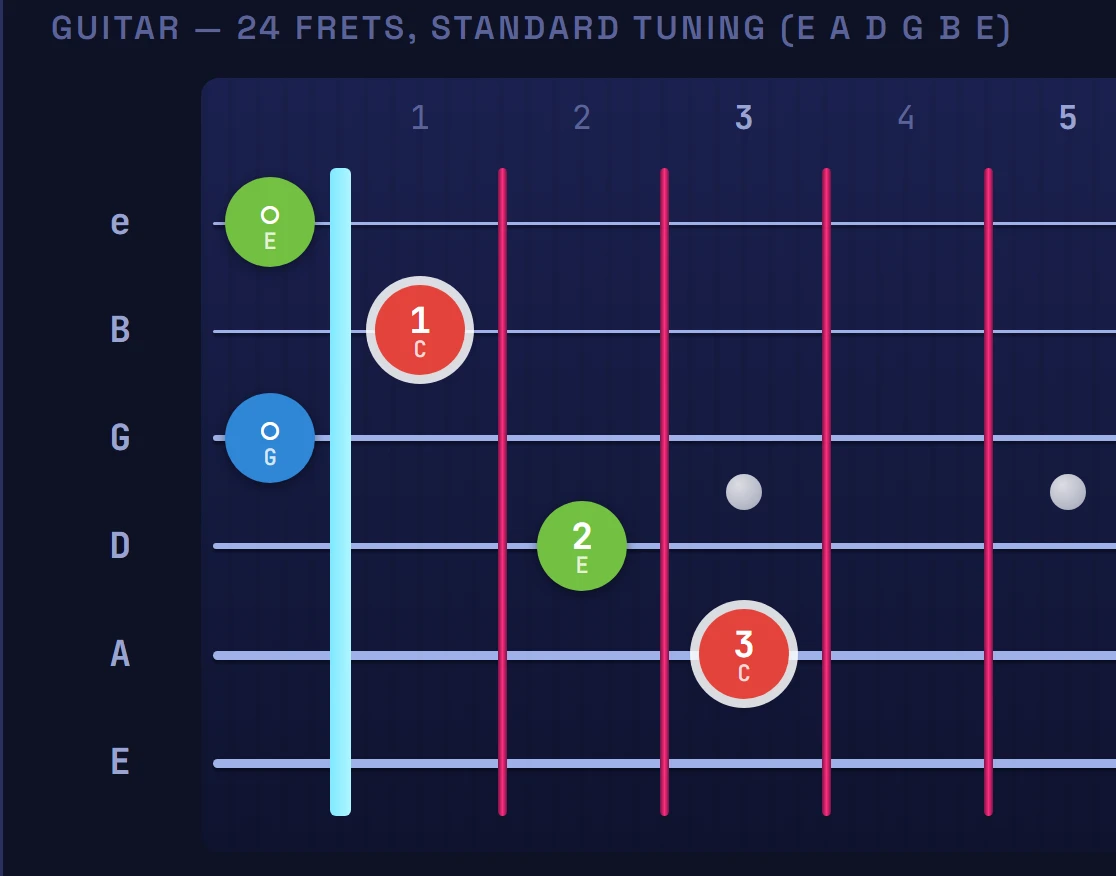
Some chords aren't meant to use every string. C and A skip the low E; D skips the low E and A. If you strum those, the chord sounds muddy or wrong even though your fingers are perfect. Learn where each chord starts — the chord diagrams show which strings to leave out — and strum from there down.
5. Thumb and hand position
Anchor your thumb roughly behind the middle of the neck, not wrapped over the top. That lets your fingers arch over the strings instead of collapsing flat. Bring the whole hand a little forward so the fingertips, not the pads, meet the strings.
6. The guitar is out of tune
A perfectly fretted chord still sounds wrongif the guitar is out of tune — and beginners often blame their hands for what's really tuning. Tune every single time you pick up the guitar. The tool's built-in tuner gives you a reference pitch for each string.
7. Old or dead strings
Strings wear out. When they look dull, feel gritty or won't stay in tune, they also sound dull and lifeless no matter how well you fret. Fresh strings are the cheapest tone upgrade there is — change them every month or two if you play regularly.
The one habit that fixes all seven
Fret your chord, then pluck each string individually, low to high. Every buzz or thud points straight at the finger to fix — more arch, more pressure, or closer to the fret. Do this for ten seconds on every chord and clean chords become automatic. When you're ready to add more shapes, the first-chords guide and the tool's Chord mode let you see and hear exactly how each one should sound.
Reading only gets you so far — open the interactive fretboard and watch these ideas light up on guitar and piano.
Enter the toolFrequently asked
Why do my guitar chords buzz?
Buzzing usually means you're not pressing hard enough, or your finger is too far behind the fret. Press firmly and put your fingertip just behind the metal fret wire (not on top of it and not in the middle of the gap). Buzzing on a string you're not fretting means a neighbouring finger is lightly touching it.
Why do some strings sound muted or dead in my chords?
A dead (thud) string is almost always muted by a finger that isn't arched enough and is leaning against it. Curl your fingers so you press with the very tip, keep your palm off the neck, and check each string by plucking it one at a time.
How do I check which string is the problem?
Fret the chord, then pluck each string individually from low to high. The buzzing or dead strings tell you exactly which finger to fix — usually it needs more arch, more pressure, or to move closer to the fret.
Can bad-sounding chords just be tuning?
Yes. A perfectly fretted chord still sounds wrong if the guitar is out of tune. Tune up every time you play — the tool includes a built-in tuner — and change strings when they look dull or feel gritty, as old strings sound dull and won't stay in tune.